 Niverly Team
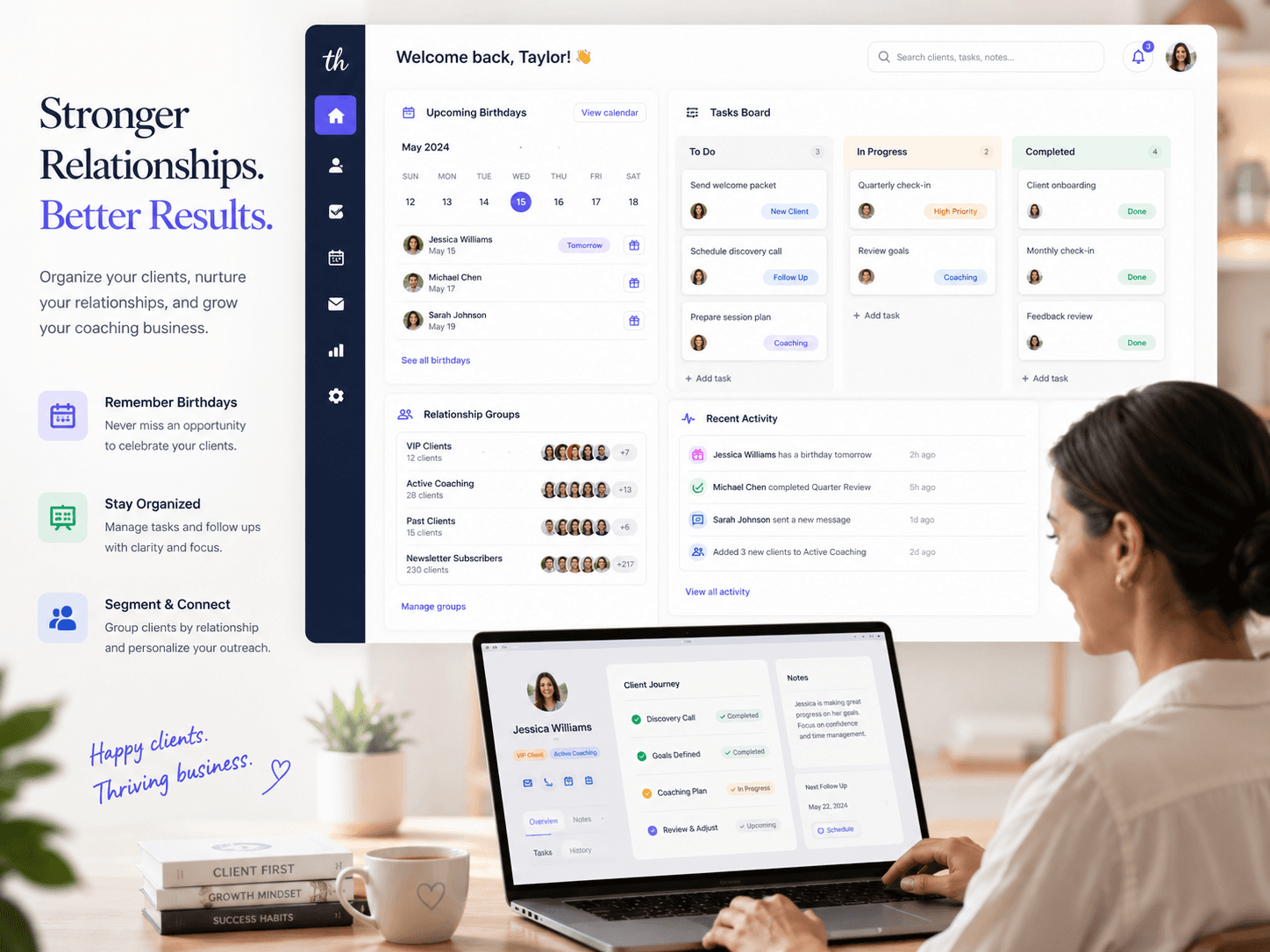
A CRM to organize clients and tasks in one place helps you centralize contacts, follow-ups, birthdays, reminders, and daily work without relying on scattered spreadsheets. In practice, it turns disconnected information into a clear routine: who the client is, what needs to happen, and when you should act.
For independent professionals and small businesses, this kind of CRM reduces forgotten follow-ups, improves post-service contact, and keeps relationships active. The goal is not to create bureaucracy. It is to make client management easier without searching through old messages every day.
Why clients and tasks should stay connected
Keeping client data separate from task management feels harmless at first. Then the client is in a spreadsheet, the task is in Trello, the reminder is in a calendar, and the context is buried in WhatsApp or email.
That creates predictable problems:
- Missed follow-ups
- Proposals without a next step
- Forgotten birthdays
- Inactive clients with no reactivation process
- Completed tasks with no relationship history
A CRM to organize clients and tasks solves this because every task stays connected to a real person. Instead of seeing only "send message", you know who should receive it, why it matters, and when to do it.
What a centralized CRM should include
Useful client profiles
A client profile does not need dozens of fields. It needs the information that supports your routine: name, contact details, birth date, relationship group, important notes, and source of registration.
In Niverly, the personalized public link helps with this because clients can submit their own information. That reduces manual typing and keeps your contact base growing with fewer errors.
Tasks linked to the right client
A loose task depends on memory. A task linked to the right client carries context.
Practical examples:
- Dentist: schedule an evaluation follow-up
- Therapist: remember a future contact request
- Personal trainer: review plan renewal
- Salon: invite a client back for maintenance
- Consultant: send a proposal after a meeting
That connection is what turns a generic to-do list into real relationship management.
List and kanban views for different routines
Not every task should be viewed the same way. A list helps you execute the day. A kanban view helps you see stages, priorities, and bottlenecks.
For a small business, the combination works well:
- List view for today's tasks and overdue work
- Kanban view for stages like "to do", "in progress", and "done"
- Priorities for work that affects revenue or relationships
- Categories for service, follow-up, billing, retention, and campaigns
The tool should support your routine instead of forcing a process that is too complex.
CRM, tasks, and relationship management
A CRM for small businesses should not be just a place to store phone numbers. It should support relationship management, customer retention, and operational organization.
When clients and tasks live in the same system, you get:
- Less rework: no need to search for context across several tools
- More consistency: reminders reduce dependence on memory
- Better experience: clients notice thoughtful follow-up
- More repeat business: birthdays, reactivation, and post-service actions become routine
That is the practical side of relationship management: using simple data to act at the right moment.
Examples by business type
Clinics, physicians, and dentists
Use the CRM to separate active patients, former patients, and leads. Create tasks for follow-ups, reviews, data confirmation, and post-appointment contact. The goal is careful relationship management, not aggressive promotion.
Salons, studios, and local shops
Group clients by main service and create tasks for maintenance, post-sale contact, and return invitations. A birthday can become a friendly message with a light incentive, without relying on memory.
Personal trainers, teachers, and coaches
Group students by status: active, paused, trial, and renewal soon. Link tasks to goals, assessments, birthdays, and continuity conversations. This helps reduce churn and improves the feeling of close support.
Consultants and B2B professionals
Use tasks for proposals, meetings, follow-ups, and reactivation. The CRM keeps a simple relationship history and prevents opportunities from getting lost after the first conversation.
Comparison: Niverly vs Trello vs Spreadsheet
| Feature | Niverly | Trello | Spreadsheet |
|---|---|---|---|
| Centralized client profiles | ✅ Yes | ⚠️ Adapted through cards | ⚠️ Manual |
| Tasks linked to clients | ✅ Yes | ⚠️ Requires manual structure | ❌ Not native |
| List and kanban for tasks | ✅ Yes | ✅ Yes | ❌ Not native |
| Birthday reminders | ✅ Yes | ⚠️ Requires setup | ❌ Manual |
| Public registration link | ✅ Yes | ❌ No | ❌ No |
| Messages and relationship workflow | ✅ Yes | ❌ Not the focus | ❌ Manual |
| Price for full features | From R$19.90/month | Varies by plan | Free, but manual |
Niverly's difference: it combines registration, tasks, birthdays, reminders, and relationship workflows in a simple system for professionals and small businesses.
How to build the workflow without overcomplicating it
Start with a few fields and a few stages. The common mistake is trying to create a perfect CRM before using it. It is better to create a simple structure, use it every day, and improve it as your routine shows what is missing.
A basic workflow can include:
- Client registration
- Relationship group
- Linked task when there is a pending action
- Automatic reminder for birthdays and important dates
- Weekly review of tasks in list or kanban view
That already covers the essentials for anyone who wants to organize clients and tasks without depending on several tools.
Checklist: Set Up Your CRM in 30 Minutes
- Define the minimum data every client profile needs
- Create simple groups such as active, lead, former, and VIP
- Add your most important clients first
- Create task categories for service, follow-up, and post-sale work
- Turn on birthday reminders by email or Telegram
- Build a kanban with a few stages to track pending work
- Share the public link so new clients can register themselves
Centralizing clients and tasks is not about controlling everything. It is about avoiding lost context and creating a routine that makes follow-up happen.
- Organization: clients, tasks, and important dates stay in one place
- Productivity: the next action appears with context, not as a loose task
- Relationship: Niverly helps turn registration, reminders, and tasks into consistent follow-up
For anyone moving away from spreadsheets, lost chats, and manual calendars, a simple CRM with linked tasks is a direct path to clearer work.
Frequently Asked Questions
What is a CRM to organize clients and tasks?
It is a system that centralizes client profiles, contact details, groups, tasks, and reminders in one place. Instead of using a spreadsheet for data and another app for tasks, the CRM connects each action to the right client. This makes follow-ups, birthdays, reactivation, and post-service contact easier.
What is the difference between a CRM, Trello, and a spreadsheet?
Trello organizes tasks, spreadsheets store data, and a CRM connects data with relationship management. You can adapt Trello and spreadsheets, but you have to build the structure manually. A CRM like Niverly starts from clients, birthdays, reminders, groups, and linked tasks.
Does an independent professional need a CRM with tasks?
Yes, especially when follow-ups, birthdays, or client requests start getting missed. A task linked to a client keeps the action in context. For physicians, dentists, therapists, personal trainers, and consultants, this improves organization and relationship management without requiring a large team.
How can I organize clients and tasks without bureaucracy?
Start with a few fields, simple groups, and tasks that actually support your routine. Do not collect information you never use. A good starting point is name, contact, birthday, group, and next action. Then review your list or kanban weekly and improve the process gradually.
Can Niverly work as a CRM for small businesses?
Yes. Niverly works as a simple CRM for small businesses that need to organize clients, tasks, birthdays, and reminders without a complex implementation. It is best suited for recurring relationships, contact base organization, and follow-up management rather than long enterprise sales pipelines.
Ready to organize your client base?
Create your personalized registration link in 3 minutes. Free to start.
Start Free