 Niverly Team
Have you ever felt embarrassed forgetting a patient's name? Or lost a client simply because you forgot to follow up at the right time? Scattered data across spreadsheets, notebooks, and WhatsApp chats is expensive. And the worst part: every forgotten contact is revenue left on the table.
Organizing your client base doesn't have to be complex. You don't need expensive corporate software or a giant spreadsheet with broken formulas. What independent professionals need is a simple system: one centralized place where each client's data, important dates, and contact history are saved clearly. That's exactly what Niverly was built for.
In this guide, you'll learn how to structure your contact management from scratch and keep everything running on autopilot.
Why Spreadsheets and Notebooks No Longer Work
Spreadsheets seem like an easy solution until you need to remember 47 different birthdays, filter active vs. inactive patients, or find someone's phone number among a thousand rows. The result is always the same: forgetfulness, rework, and lost clients.
As the base grows, chaos increases. You waste time searching for information, make typing errors, and can't remember to send a message on the right day. For those working alone or with a small team, that wasted time is money thrown away.
What It Means to Have an Organized Client Base
Efficient relationship management for independent professionals has three basic pillars. Here's what can't be missing:
Centralized and Easy-to-Access Data
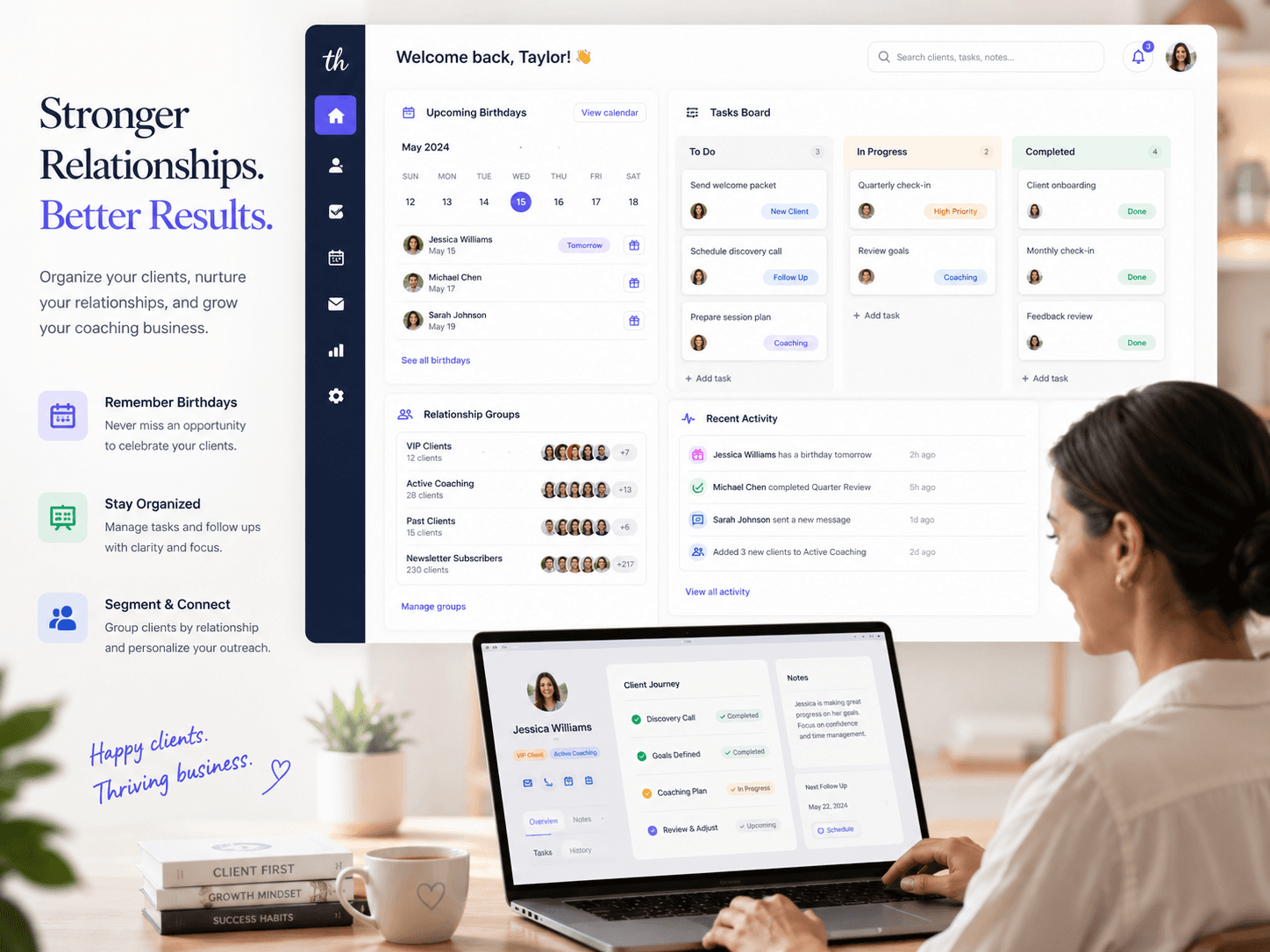
Everything in one place. Name, phone, email, birth date, business relationship anniversary, and any relevant notes. When information is centralized, you consult it in seconds and never feel embarrassed again.
Segmentation by Group or Relationship
Not every client is the same. A beauty salon serves clients who come monthly for hydration and others who only visit every six months. A doctor has patients with quarterly follow-ups and others with annual ones. Separating these groups avoids generic messages and improves the experience.
Automatic Reminders That Work on Their Own
The big advantage of automation is not relying on your memory. Reminders via email or Telegram on birthdays, return dates, or any special occasion keep you top of mind without daily operational effort.
How to Build Your Base in 10 Minutes (Without a Spreadsheet)
Following a simple step-by-step saves hours later. Here's the practical method:
- Choose a lightweight tool — prefer a cloud-based system that works on mobile. You need to consult data anytime.
- Import or register your contacts — start with your 20 most important clients. Don't try to migrate everything at once.
- Add dates that matter — birthday, first appointment date, or last consultation. These dates are gold for loyalty.
- Set up automatic reminders — define 1, 7, or 15 days in advance. The system alerts you automatically.
- Create a public registration link — with Niverly, you generate a personalized link in seconds. New clients fill in their own data, and you receive everything organized automatically. Less work and zero typing errors.
Checklist: Do This in 10 Minutes
- List your 20 main clients or patients
- Choose a simple cloud-based contact management system
- Register name, phone, email, and birth date for each one
- Set up at least one automatic reminder (birthday or follow-up)
- Create a registration link for new clients to fill out on their own
Practical Examples by Niche
Each professional has a different routine. See how to apply base organization in your daily work:
Doctors, Dentists, and Psychologists
For healthcare professionals, follow-up is everything. Having the last return date recorded helps send revision appointment reminders. A message on the patient's birthday humanizes the relationship and sets your practice apart from competitors.
Salons, Studios, and Aesthetic Clinics
Clients who return regularly are predictable revenue. Organizing the base by service and frequency allows you to send offers at the right time. Someone who gets nails done weekly shouldn't receive the same message as someone who waxes every two months.
Coaches, Consultants, and Personal Trainers
Here the relationship is closer, but also harder to scale. With an organized base, you can track each student's journey: goals, birthdays, and package renewal dates. All without relying on a little notebook.
- Organization is revenue: every well-managed client means more referrals and less churn.
- You don't need complexity: a simple system with centralized data and automatic reminders solves 90% of the problem.
- Start today: building an organized client base takes less than 10 minutes and changes how you relate to those who pay your bills.
If you want to try a tool that combines simple registration, organized data, and automatic reminders, try Niverly for free. In just a few minutes you can build your base, create your registration link, and never lose a client to forgetfulness again.
Frequently Asked Questions
What's the difference between a spreadsheet and a client management system?
Spreadsheets store data but don't remember dates or send alerts on their own. A management system centralizes information and automates reminders, saving time and preventing costly forgetfulness.
Can I organize my client base for free?
Yes. Niverly offers a free plan that lets you register contacts, save important dates, and send automatic reminders. The key is to start simple and evolve as your base grows.
How many clients should I register at once?
Start with your 20 most important ones. Migrating everything at once causes fatigue and errors. Over time, you'll fill in the rest — including letting new clients register themselves via a link.
What essential data should I collect from a client?
Full name, phone, email, and birth date are the basics. If relevant to your business, also add the first appointment date, service type, and return frequency.
Do automatic reminders really help with loyalty?
Absolutely. Sending a message on a birthday or return day shows you care. Clients who feel remembered come back more, refer more, and stay loyal longer.
Ready to organize your client base?
Create your personalized registration link in 3 minutes. Free to start.
Start Free