 Niverly Team
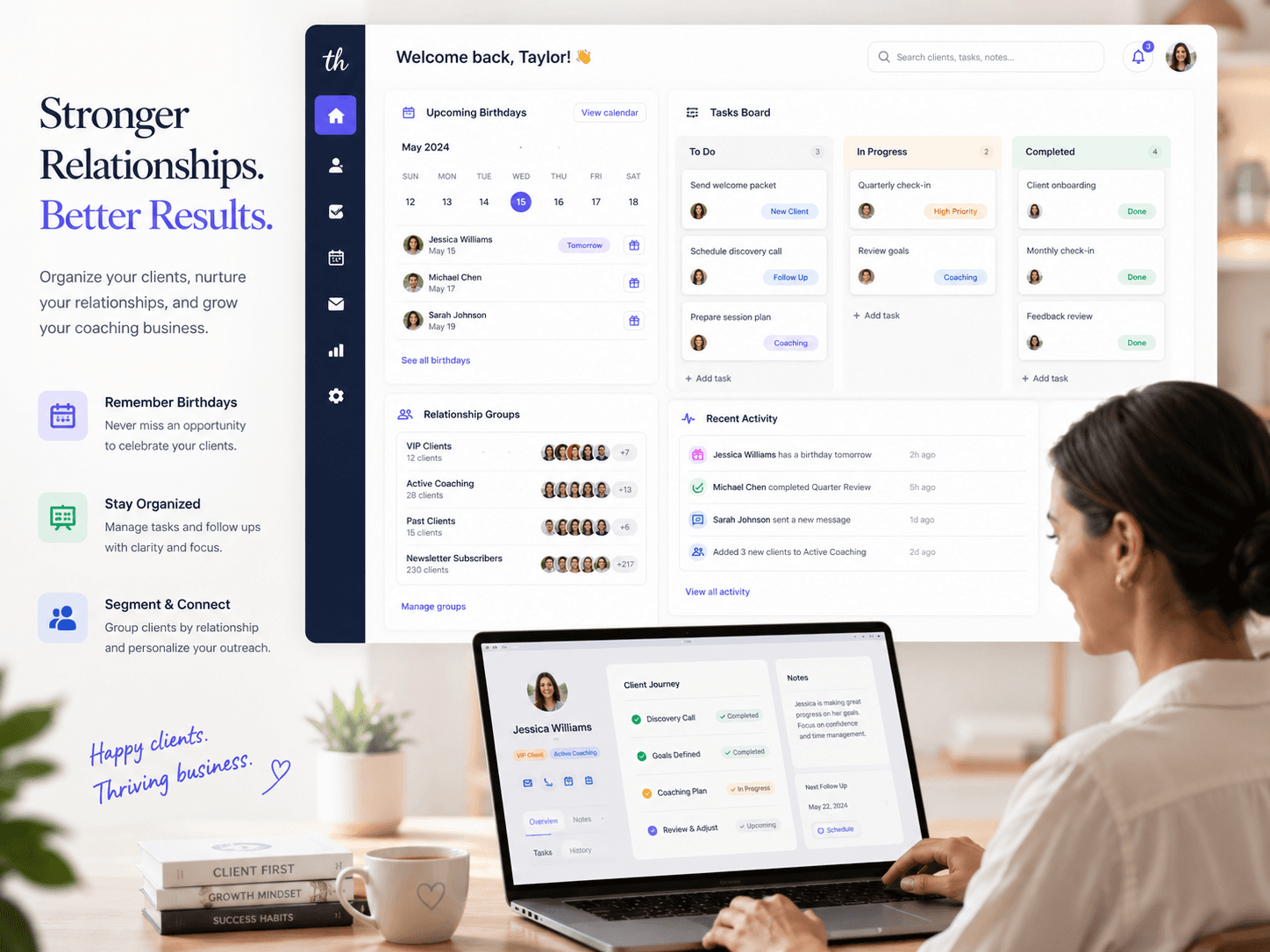
A simple CRM for independent professionals should solve the basics efficiently: register clients, organize contacts, remember important dates and make relationship messages easier. If it requires long training, complex funnels and dozens of fields, it is probably more than you need.
For doctors, dentists, psychologists, personal trainers, consultants and small businesses, the best CRM is the one that fits the routine without friction. It needs to save time, reduce forgotten dates and keep clients close.
What CRM means in practice
CRM means customer relationship management. In practice, it is an organized way to know who your clients are, how to contact them and when to reach out.
For an independent professional, this usually includes:
- Client name and contact information
- Birth date
- Group or type of service
- Basic relationship history
- Birthday and important date reminders
- Ready-made messages to stay in touch
You do not need a heavy system to start. You need a reliable routine.
What a simple CRM needs
Easy registration
Registration should not depend on manual typing forever. A public link lets the client send their own data from the phone, with fewer errors and less work for you.
Group organization
Separating active clients, leads, patients, students or VIP clients helps personalize messages. Without groups, everyone receives the same communication and the relationship feels generic.
Automatic reminders
A CRM that only stores data does not solve the main problem. It needs to alert you when a birthday or important date is coming. Email and Telegram reminders reduce dependence on memory.
Ready-made messages
Templates speed up outreach. Instead of writing from scratch, you adjust a short message and send it at the right moment.
Comparison: Niverly vs HubSpot vs Spreadsheet
| Feature | Niverly | HubSpot | Spreadsheet |
|---|---|---|---|
| Focus on birthdays and relationships | ✅ Yes | ⚠️ Generic | ❌ No |
| Public registration link | ✅ Yes | ⚠️ Requires setup | ❌ No |
| Email and Telegram reminders | ✅ Yes | ⚠️ Requires integrations | ❌ Not automatic |
| Ready-made messages by group | ✅ Yes | ✅ Yes, with setup | ❌ Manual |
| Simple for solo professionals | ✅ Yes | ⚠️ Can be complex | ✅ Yes, but limited |
| Price for complete features | From R$19.90/month | Varies by plan | Free, but manual |
Niverly's difference: it was designed for simple recurring relationship management, not for large teams with complex funnels.
How to choose without overbuying
Before choosing any CRM, answer:
- Do I want to manage sales funnels or stay close to current clients?
- Do I need a pipeline or reminders and messages?
- Do I work alone or with a sales team?
- Is my pain capturing data, remembering dates or tracking deals?
If your main pain is remembering clients, organizing birthdays and staying in touch, a simple focused CRM usually delivers faster results.
Examples by profession
Psychologists and doctors
Use groups to separate active patients, former patients and leads. Communication should be careful, without aggressive promotional language.
Dentists and clinics
Beyond birthdays, use the database to remember returns, checkups and seasonal campaigns with a professional tone.
Personal trainers and teachers
Organize students by status: active, paused, trial and renewal soon. Birthday and goal messages help retention.
Salons and studios
Separate clients by main service. This makes birthday messages with a light return invitation easier.
Checklist: Set Up Your Simple CRM in 30 Minutes
- List the minimum data you need from each client
- Create useful groups for your routine, without overdoing it
- Register your most important clients first
- Enable birthday reminders by email or Telegram
- Create three message templates: birthday, return and reactivation
- Share the public link so new registrations enter automatically
The right CRM is the one you use
A feature-heavy system does not improve relationships if nobody keeps the database alive. For small businesses, simplicity often beats complexity.
- Fewer fields, more action: register what matters and use the data
- Less manual control: let reminders and automations work
- More consistency: Niverly helps turn dates into relationships
Start with the simplest flow: client registers, system organizes, reminder arrives, message goes out. That is already a practical CRM for many professional operations.
Frequently Asked Questions
What is a simple CRM for independent professionals?
It is a lightweight system to organize clients, contacts, groups and important dates without complex implementation. For independent professionals, a CRM should help maintain relationships, remember birthdays, store basic information and make messages easier. The focus is practical routine, not heavy sales management.
Does an independent professional really need a CRM?
You need one when information starts getting lost across WhatsApp, calendars and spreadsheets. A simple CRM prevents forgotten dates, organizes contacts and helps keep clients close. Even with a small client base, it creates a process. The value appears when you stop depending on memory.
What is the difference between a CRM and a spreadsheet?
A spreadsheet stores data, but it requires manual checking. A CRM organizes the database and helps turn information into action, such as reminders, groups and messages. For client birthdays, the main difference is that a CRM alerts you and makes outreach easier at the right time.
Does Niverly replace a traditional CRM?
If you need a complex sales pipeline, maybe not. If you want to organize clients, capture data through a link, remember birthdays and send relationship messages, Niverly covers the essentials with less complexity. It works as a simple CRM focused on relationships.
How can I start without migrating everything at once?
Start with your most important clients and the minimum data: name, birthday, email and phone. Then create groups and share the public link for new registrations. This improves the database gradually without stopping your routine. Consistency matters more than a perfect migration.
Ready to organize your client base?
Create your personalized registration link in 3 minutes. Free to start.
Start Free