 Niverly Team
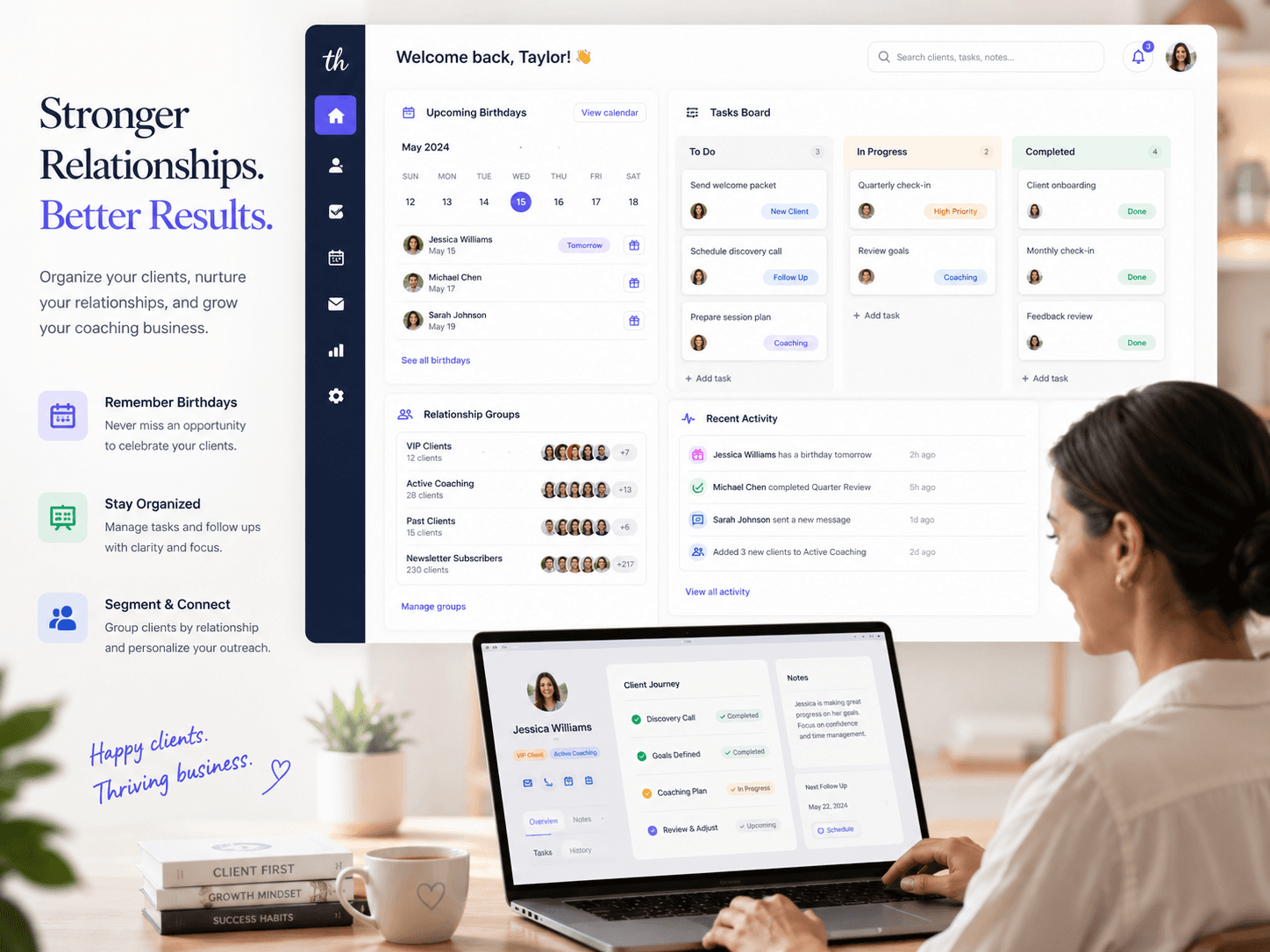
How do you organize tasks linked to clients? The simplest way is to keep contact and execution in the same place: every task should start connected to a client, with status, deadline and checklist. In a simple CRM, that keeps follow-ups from getting lost between WhatsApp, spreadsheets, calendars and memory.
For independent professionals and small businesses, this changes daily work fast. You stop managing generic tasks and start seeing context: who the client is, what the next action is, what is overdue and what is already done. That is relationship management applied to operations, not just a pretty task board.
Why scattered tasks lead to delays
When a task is not linked to a client, you may remember what needs to be done, but forget for whom, why it matters and where it sits in the relationship.
In practice, that creates problems like:
- Promised follow-ups without a reliable record
- Commercial and operational tasks mixed together
- No date and no clear next step
- Important clients buried under generic to-dos
- Harder review before reaching out again
An isolated task organizes activity. A client-linked task organizes the relationship.
The minimum structure that works
You do not need a heavy system to start. You need a structure that fits your real routine.
Link every task to a client
This is the key point. The task should be created already connected to the client, patient or student. That way, when you review the task, you also see who it belongs to.
Examples:
- Confirm an assessment follow-up with a specific student
- Prepare a proposal for an architecture client
- Remember a treatment review for a patient
- Send a message after a quote was delivered to a lead
When the task is tied to the right person, your CRM for small businesses becomes an action tool, not just a contact database.
Use a small set of clear statuses
Do not build ten columns. For most routines, four are enough:
- To do
- In progress
- Waiting for reply
- Done
This works in both list and kanban views. The benefit is clarity: one glance tells you where each pending item stands.
Add a deadline and next step
A task without a deadline becomes intention. A task without a next step becomes ambiguity.
Whenever possible, record:
- Due date
- Time, if relevant
- One clear next action
- Tags or category for future filtering
That small habit reduces rework and makes it easier to resume a client conversation days later.
Break larger tasks into checklists
Checklists help when a task has multiple steps. Instead of spreading notes across different places, you keep the work inside one record.
Practical example:
- Send proposal
- Confirm receipt
- Schedule follow-up
- Add final note
List or kanban: which one should you use?
Both views help as long as they read from the same source.
When list view works better
List view is better when you need speed, filters and daily review. It makes it easier to scan tasks by deadline, priority, category or client.
It works especially well for:
- Clinics with many short follow-ups
- Consultants handling several small deliverables
- Professionals who review pending work every morning
When kanban works better
Kanban is better for seeing flow. It shows where work is stuck and how many items are paused at each stage.
It works especially well for:
- Salons and studios with appointments and confirmations
- Architects and lawyers with defined stages
- Businesses that depend on steady follow-up
With Niverly, the advantage is keeping both views tied to the same client record. You can manage the work in list or kanban mode without disconnecting operations from your relationship base.
Where spreadsheets, Trello and WhatsApp usually fall short
Spreadsheets, Trello and pinned WhatsApp chats can work early on. The issue starts when you need client context together with task execution.
A spreadsheet needs manual updates and does not support relationship work by itself. Trello organizes cards, but it usually needs extra setup to keep client records, birthdays, groups and communication in the same flow. WhatsApp stores conversations, not process.
If your routine depends on remembering birthdays, organizing a client base, following up and tracking tasks by client, splitting those pieces across separate tools creates friction.
Comparison: Niverly vs Trello vs Spreadsheet
| Feature | Niverly | Trello | Spreadsheet |
|---|---|---|---|
| Task directly linked to client | ✅ Yes | ⚠️ Manual | ❌ No |
| List and kanban views | ✅ Yes | ⚠️ Native kanban, limited list | ❌ No |
| Client database in the same system | ✅ Yes | ❌ No | ⚠️ Manual |
| Birthday reminders and relationship workflows | ✅ Yes | ❌ No | ❌ Not automatic |
| Checklists, tags and deadlines per task | ✅ Yes | ✅ Yes | ⚠️ Limited |
| Price for full features | Starts at R$19.90/month | Varies by plan | Free, but manual |
Niverly's difference: it keeps tasks and relationship management in the same workflow. That lowers context switching and makes a simple CRM more useful day to day.
Examples by profession
Doctors, dentists and therapists
Use tasks for follow-ups, reviews and post-appointment contact. Linking the pending action to the patient keeps the context visible and supports a more careful relationship.
Personal trainers and teachers
Create tasks for renewals, inactive student follow-up, plan delivery and goal check-ins. The link to each student helps you spot who needs attention before cancellation happens.
Salons, aesthetic clinics and studios
Organize session confirmation, return visits, post-service contact and light campaigns for recurring clients. Client-linked tasks make it easier to filter by service, group and priority.
Consultants, architects and lawyers
Track proposals, missing documents, follow-up and agreed return dates without relying on memory. The task becomes more than a note; it becomes part of relationship management.
In the end, organizing tasks linked to clients means making the next step visible inside the right context.
- You gain operational clarity: every task stays attached to the right person
- You reduce forgetfulness: deadlines, status and checklists make the routine less fragile
- You strengthen relationships: Niverly combines simple CRM, client database and execution in one flow
If your tasks are scattered today, the first move is not adding one more tool. It is linking each action to the right client and working from there.
Checklist: Set This Up in 20 Minutes
- List the tasks that are currently scattered across WhatsApp, notes and spreadsheets
- Define four simple statuses for your workflow
- Link every active task to a client, patient or student
- Add deadlines and next steps to the most important pending items
- Create checklists for tasks that have multiple stages
- Review your work first in list view and then in kanban view
Frequently Asked Questions
Is it worth linking a task to a client instead of keeping a generic to-do list?
Yes, because the task stops being an isolated item and starts carrying context. You know who the action is for, where it sits in the relationship and what should happen next. That reduces forgetfulness, improves follow-up and cuts rework, especially in small operations without a large team.
Which is better for client tasks: list view or kanban?
It depends on how you work. List view is excellent for scanning volume, filtering by deadline and running a daily routine. Kanban is better for understanding flow and bottlenecks. The ideal setup is a system where both views read the same data, so you do not duplicate tasks or lose the client connection.
Can I use Trello for this or do I need a CRM?
You can adapt Trello, but it usually manages only the task itself. When your routine also includes client records, groups, birthdays and communication, a simple CRM tends to give you more context with less patchwork. In practice, the relationship and the execution stay inside the same workflow.
How can I organize tasks linked to clients without overcomplicating my routine?
Start with the minimum: linked client, status, deadline and next step. Then add checklist, tags and kanban view if they actually help. The common mistake is trying to design a perfect system before using it. For independent professionals, consistent simplicity beats abandoned sophistication.
Is Niverly only for birthdays or does it also support tasks?
Niverly goes beyond birthdays. It works as a simple CRM for small businesses and independent professionals, with a client base, public registration link, relationship reminders and a task module with list and kanban views. That helps centralize relationship management and execution without relying on several separate tools.
Ready to organize your client base?
Create your personalized registration link in 3 minutes. Free to start.
Start Free